Products In the Microsoft Store
AZET Care for Windows
Safer Windows settings you can undo. AZET Care for Windows checks 73 security, privacy and cleanup items, shows what it would change before it changes it, and keeps a record you can roll back.
Key features
Security and privacy settings
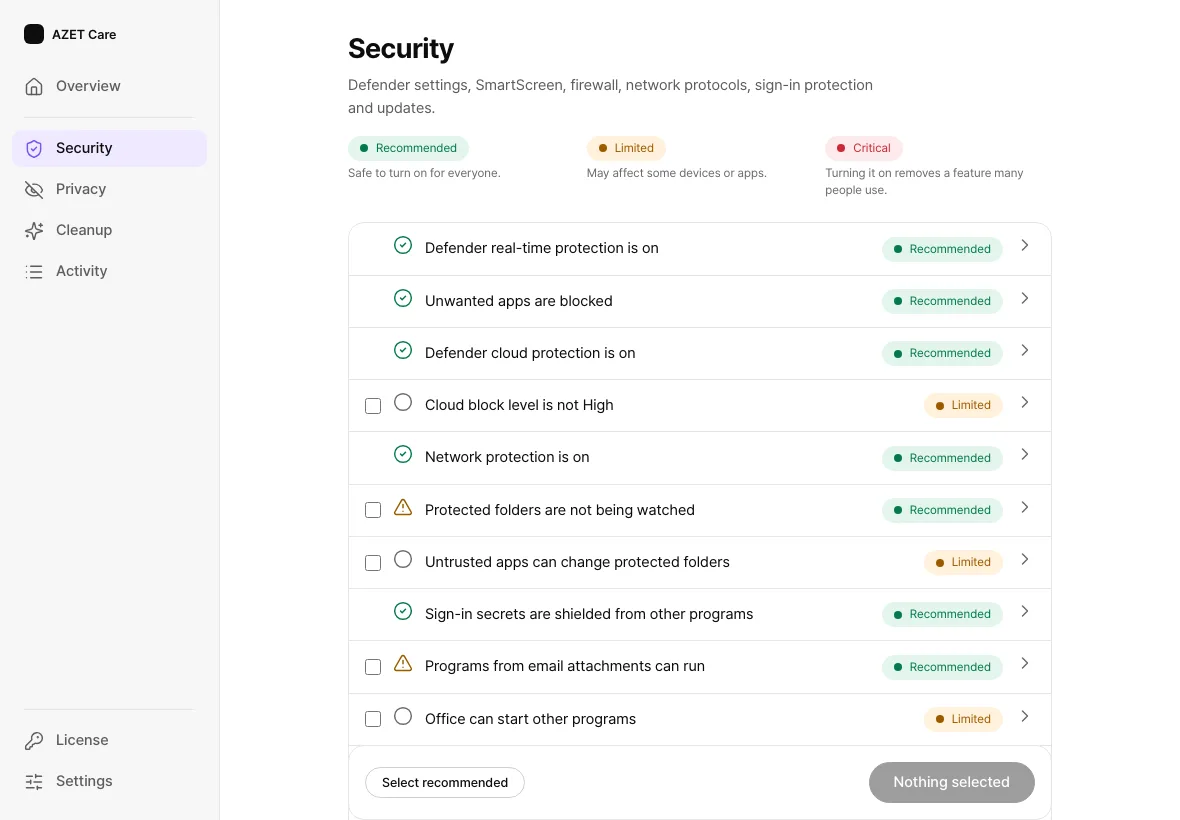
A catalog of 73 items covers Microsoft Defender settings, SmartScreen, the firewall, network protocols, sign-in protection, updates, and privacy settings including the Windows AI features (Paint, Notepad, Click to Do and generative AI access for apps).
Review, then undo
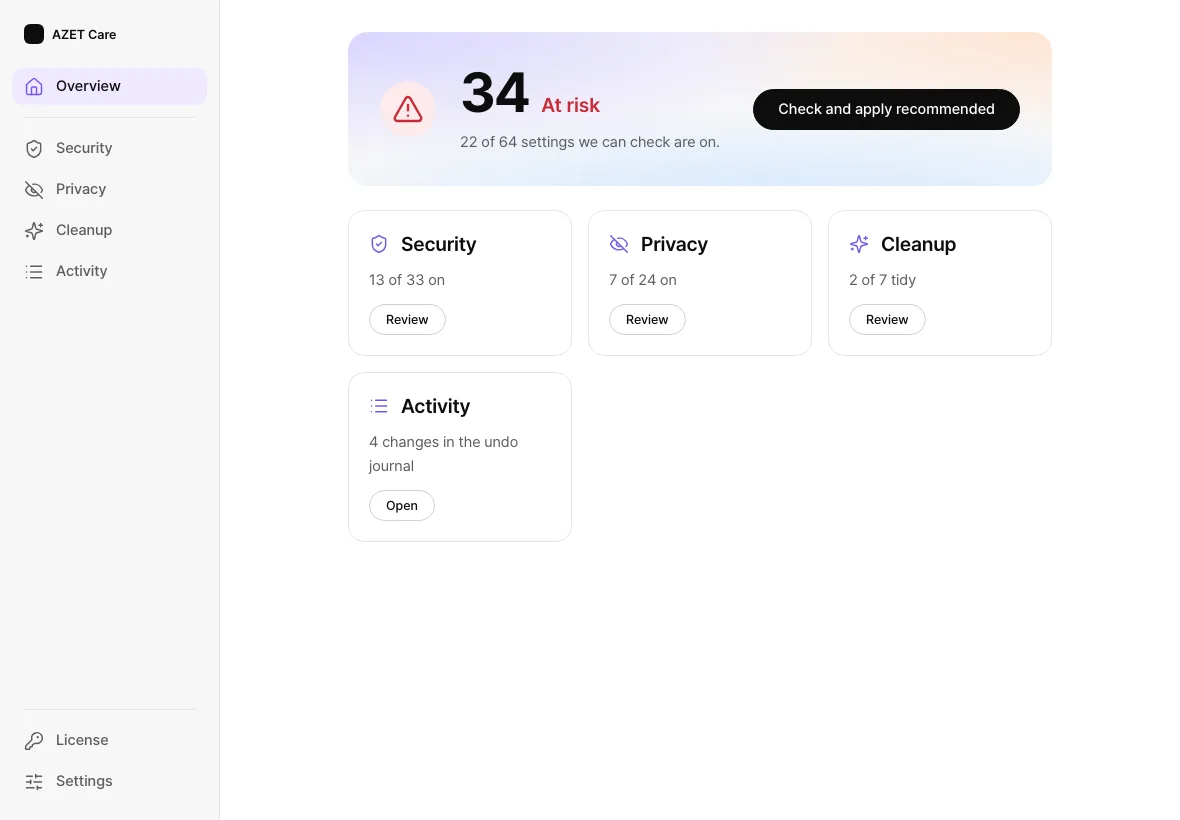
One button checks the PC and proposes the recommended settings; a review sheet lists every change and where it is made before anything is applied, with a restore point as an option.
Cleanup
It can clear Windows error reports, crash dumps and Windows log files older than seven days. Files go to the app’s own holding folder and can be restored.
Review, then undo. Changes are recorded per session. From Activity you can undo a whole session or a single item, and if you have changed a value yourself since, undo leaves your value alone.
Windows Security stays on. AZET Care for Windows works beside it, is not an antivirus, and does not replace it. Many of these Windows settings are free to change by hand; the paid value is reviewed settings, undo and updates, in one app. Some settings behave differently depending on the Windows build.
Security
Every item states its current state in a sentence and carries one of three labels: Recommended (safe to turn on for everyone), Limited (may affect some devices or apps) or Critical (removes a feature many people use). A score from 0 to 100 weighs security at 50 percent, privacy at 30 and cleanup at 20.
Unretouched screenshots of the app’s interface, resized, rendered with sample data rather than on a customer PC.
Plans
Free to use today from the Microsoft Store: checking and applying every item is free, and a license adds automatic protection. Buy one below.
Prices are in US dollars and may change; taxes may be added depending on where you live. Paid licenses bought on azet.io come with a 30-day money-back guarantee (refund policy). A lifetime license has no renewal charge and lasts for as long as AZET offers the product (details). The consumer apps are unlocked by a license key, not an account.
Questions
Is it free?
Checking and applying every item is free. A license adds automatic protection, and you can buy one on this page.
Does it replace Windows Security?
No. Windows Security stays on. AZET Care for Windows works beside it and is not an antivirus.
Can I undo a change?
Yes. Every change is recorded and can be rolled back. If you have changed a value yourself since, undo leaves your value alone.
Does it change anything without asking?
No. It shows what it would change before it changes it.
Where do I get it?
From the Microsoft Store, on 64-bit Windows.
At a glance
| Status | Available in the Microsoft Store · free to use · licenses on sale at azet.io |
|---|---|
| Operated by | AZET LLC |
| Platforms | Windows, 64-bit (from the Microsoft Store) |
| License | A license key unlocks the app. No account is needed. After a plan ends, the app stays usable in its free tier. |
| Free trial | 15 days, one per device and product |
| Terms and refunds | Terms of service · Refund policy · Privacy policy |
| Help | hello@azet.io |
| Open-source parts | Open-source notices |
Install AZET Care on your Windows PC.
Get it from Microsoft StoreAvailable in the Microsoft Store · free to use · licenses on sale at azet.io