Products Coming to the Mac App Store
AZET Lens
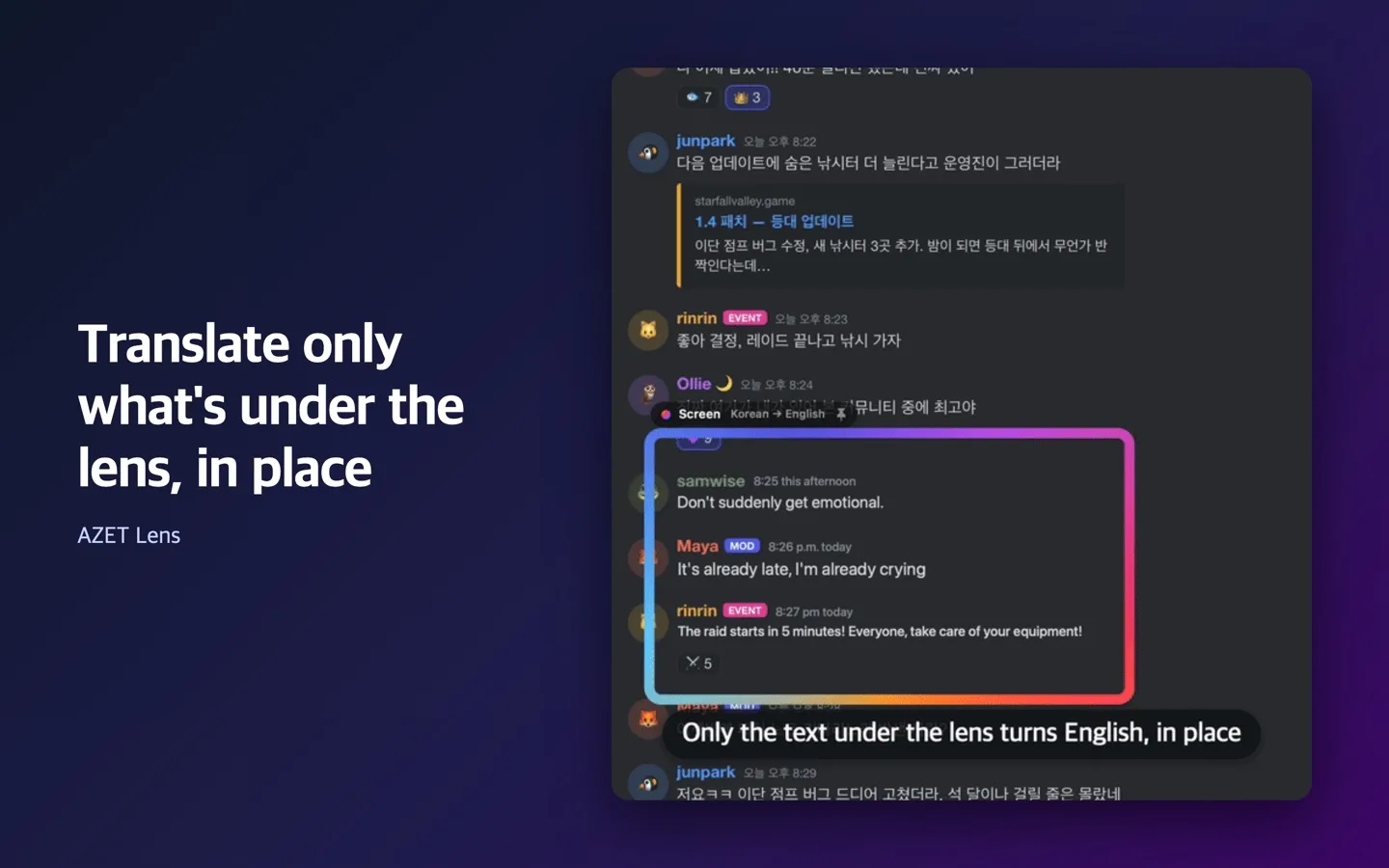
Put a lens over any part of your screen and the text under it turns into your language, right where it was. Drag the lens, scroll the page, and the translation keeps up.
Key features
Translate in place
Only the text inside the lens is translated, drawn over the original in the same spot, so you can still see what is around it. Press ⌃⌥O to peek at the original.
Follows what you read
Drag the lens by its name tag or scroll under it. It follows the window it lands on; hold ⌥ to pin it to the screen instead. Subtitles in videos are translated with an outline so they stay readable, and you can save them as an .srt transcript.
No network, by design
The app is sandboxed without the network entitlement, so macOS refuses every connection it could open. Text recognition and translation use Apple's on-device frameworks and language packs.
Permissions. AZET Lens asks for Screen Recording once, to read the text under the lens. Nothing it reads is stored, except a transcript you choose to save in the Save panel.
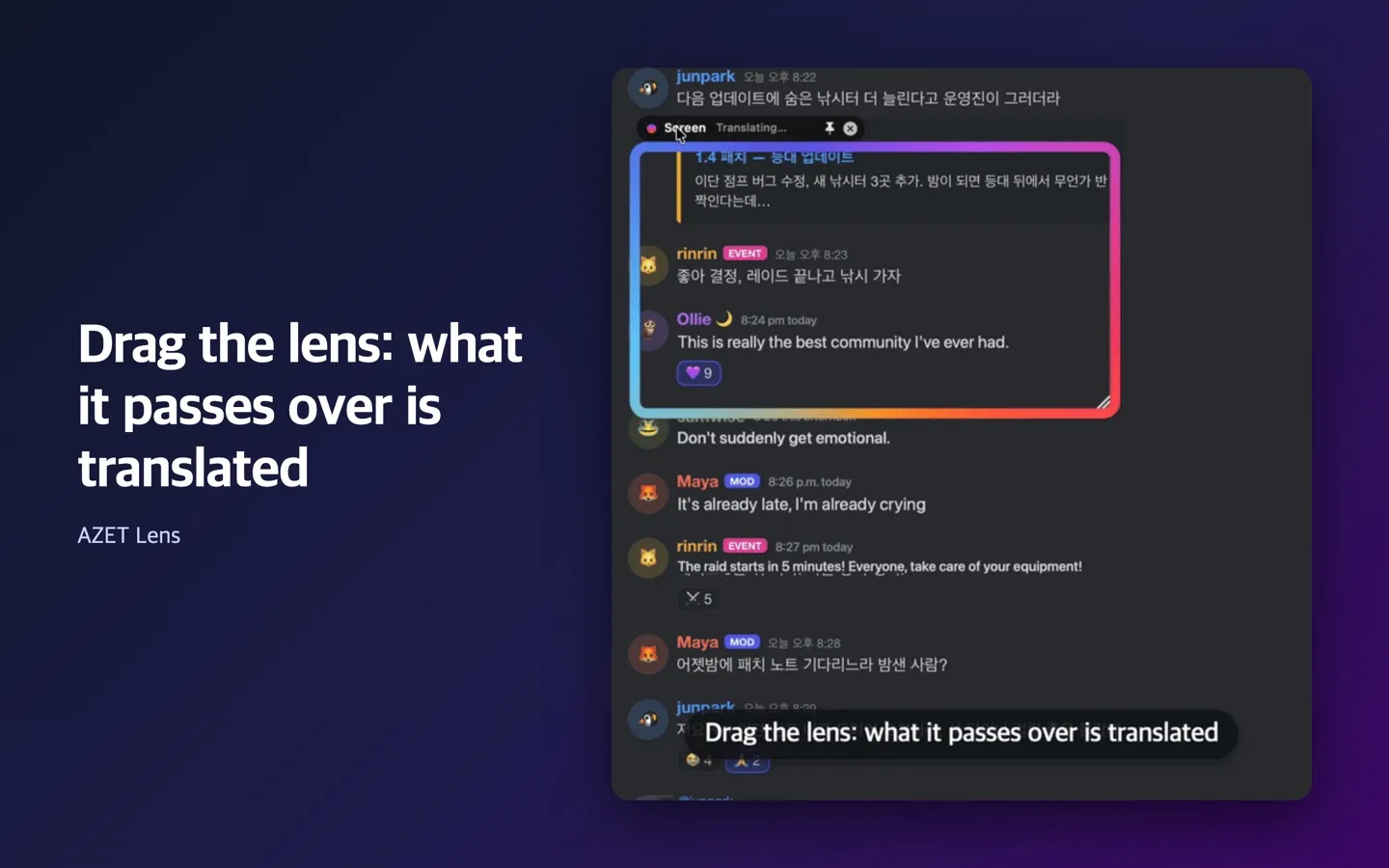
Drag the lens, and what it passes over is translated
The lens is a window you move over the screen. Anything it passes over is recognised and translated live; move it away and the original is back. Press ⌃⌥L anywhere to add a lens, then drag an area or click.
Privacy and facts
| Data collected | None. The app cannot connect to the internet, and it has no analytics, crash reporting or account. |
|---|---|
| What stays on your Mac | Screen text read under the lens is processed in memory by Apple's Vision and Translation frameworks. Language packs are downloaded by macOS, not by the app. |
| Operated by | AZET LLC |
| Platforms | macOS 27 or later, Apple silicon |
| Price | Free |
| Source | github.com/azet-llc/azet-lens (MIT License, based on Mwoyeo) |
| Help | hello@azet.io |
| Policies | AZET LLC privacy policy · Terms of service |
AZET Lens
Free · coming to the Mac App Store